THE JOURNAL / FROM THE WORKSHOP

BEHIND
THE SHOW.

Workflows, ideas and the people shaping SHOWAVE. Follow the work as we build a connected home for live production.

SHOWAVE · Powered by Afro Unity Group

← All journal stories

WORKFLOW /

From rehearsal
to Programme.

The first useful test is small enough to understand. Bring one familiar file into SHOWAVE, prepare the picture and make the Take deliberate.

SHOWAVE Live
SHOWAVE Broadcast

Start with a picture you know.

A conference deck, a short video or a single image gives a rehearsal a clear purpose. On desktop, select an original file and let its first picture finish loading. Loading prepares the content; it does not trigger the Show. Compare the result with the original before building a more complex scene.

Modern PowerPoint and PDF playback are part of the desktop preview. Advanced presentation features still need comparison with your actual deck. The first-show guide describes supported formats and the path from a Clip to the audience picture.

Prepare in Preview. Take to Programme.

In Broadcast, begin with a blank scene. Add a source, arrange its position and check the draft in Preview. Cut/Fade takes that prepared scene to Programme. Editing a scene is a preparation step, so an operator can review the next picture before committing it.

Programme and an online broadcast are separate parts of the workflow. Taking a scene does not automatically start a stream. Rehearse the selected destination, sound and capture equipment alongside the picture. The Broadcast guide explains the controls in more detail.

A preview is a place to learn.

The current packages are Windows preview.4 and Linux / Android preview.2. There is no stable release yet. The Android APK is an offline interface and media-player review build; it does not include desktop capture or broadcasting services.

Keep the build version, device and smallest reproducible sequence with your findings. Read the platform notes, then choose a build in the download centre.

NEXT STORY / Nine instruments. One family. ↗
← All journal stories

DESIGN /

Nine instruments.
One family.

A production has many jobs. Each SHOWAVE workspace needs an identity that is easy to recognize and a place in the same creative system.

Live / Lv
Broadcast / Bc
Chaser / Ch
GSL5 / G5
Encode / En
Forge / Fg
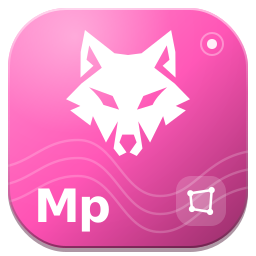
Map / Mp
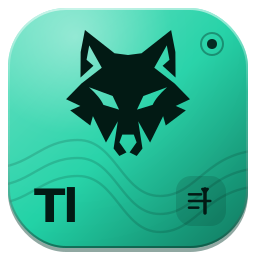
Timeline / Tl
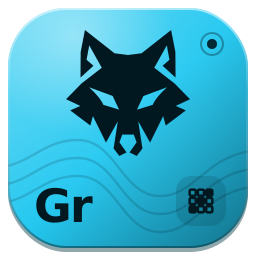
Grid Tool / Gr

Focus within the waves.

The wolf is the shared mark. Square tiles make the software family recognizable together, while a signature color and short identifier distinguish each tool. Names and letters accompany the colors so recognition does not depend on color alone.

From preparation to the room.

Live handles layers, clips and show control. Broadcast organizes scenes, sources, Preview and Programme. Map shapes outputs, Grid Tool supports LED planning, and Chaser gives slices and pixel maps their sequence. Timeline organizes timecoded automation; GSL5 Lighting Library gives fixtures, patch and cues their own lighting workspace.

Encode and Forge complete the family’s preparation and creation direction. Encode was previously called Alley, and Forge was previously called Wire. These names describe their roles; they do not mean every native capability is finished.

Identity is the beginning.

The current Encode workspace can preview clips and explore conversion settings, but its session-only build does not export converted files. Forge’s node workspace currently includes a demonstration monitor; native plug-in compilation is not implemented. The software family guide keeps these boundaries visible.

The application source starts in dark mode for a fresh profile. Saved appearance preferences remain available, and existing installer snapshots may differ from current source. Website icon styling is part of this local design pass; it does not rewrite installed software.

NEXT STORY / Good work deserves a place. ↗
← All journal stories

COMMUNITY /

Good work
deserves a place.

A useful rehearsal, a clearer manual or a better idea for a control can move the project forward. Recognition should be a choice.

A record we can trust.

The community dashboard has a contribution calendar, daily records and rankings. Only maintainer-verified contributions count. It begins empty, so the website presents no invented activity or contributor positions.

Verified records need public evidence. A contributor can remain anonymous; publishing a name also requires explicit consent. Equal contribution counts share a rank. Code, documentation, testing, design and community work all have a place in the record.

Prepare a contribution today.

You can write a named or anonymous draft, keep it on your device and export it as JSON. Drafts never change the public graph and are not submitted automatically. Clearing your browser storage removes them, so export a copy you want to keep.

The current development repository is private. Contributors with access can use its existing issue and pull-request workflow; the website does not grant access. A public discussion channel and shared submission service are still ahead. The contribution guide explains how to prepare a report another person can reproduce.

Support the next chapter.

The foundation initiative brings development, learning and community work under Afro Unity Group. Supporter, Crew and Partner badges are design previews. They do not represent confirmed sponsors or launched benefits.

Donating is optional, including when downloading a preview. The existing Flutterwave destination currently identifies Novus Foundation Uganda as its recipient. A dedicated SHOWAVE payment page is planned; the donation guide keeps the current recipient visible.

Keep the roadmap distinct.

A public plug-in marketplace, stable extension SDK and SHOWAVE MCP server are not available in this preview. The API overview describes selected existing local status routes; the MCP page describes the planned agent interface. These pages will grow as the capabilities become real.

EXPLORE THE COMMUNITY / Prepare your contribution ↗
THE NEXT WAVE STARTS WITH YOU.

Help build what
comes next.

Support the people creating SHOWAVE: better tools, clearer manuals and more time with real productions.

Contribute your experience, sponsor the work, or give what you can. You can also continue straight to the download.

Support the project ↗

Current Flutterwave recipient: Novus Foundation Uganda. Explore the initiative ↗